
● HARDWARE + SOFTWARE · 58 MODULES
Become a Certified Mobile Repairing Expert
From basic electronics to chip-level fault finding, flashing and IMEI repair — learn every skill a professional mobile technician needs, on real faulty smartphones inside our live service center.
- Chip-Level Training
- Live Faulty Devices
- Certificate + Placement Help
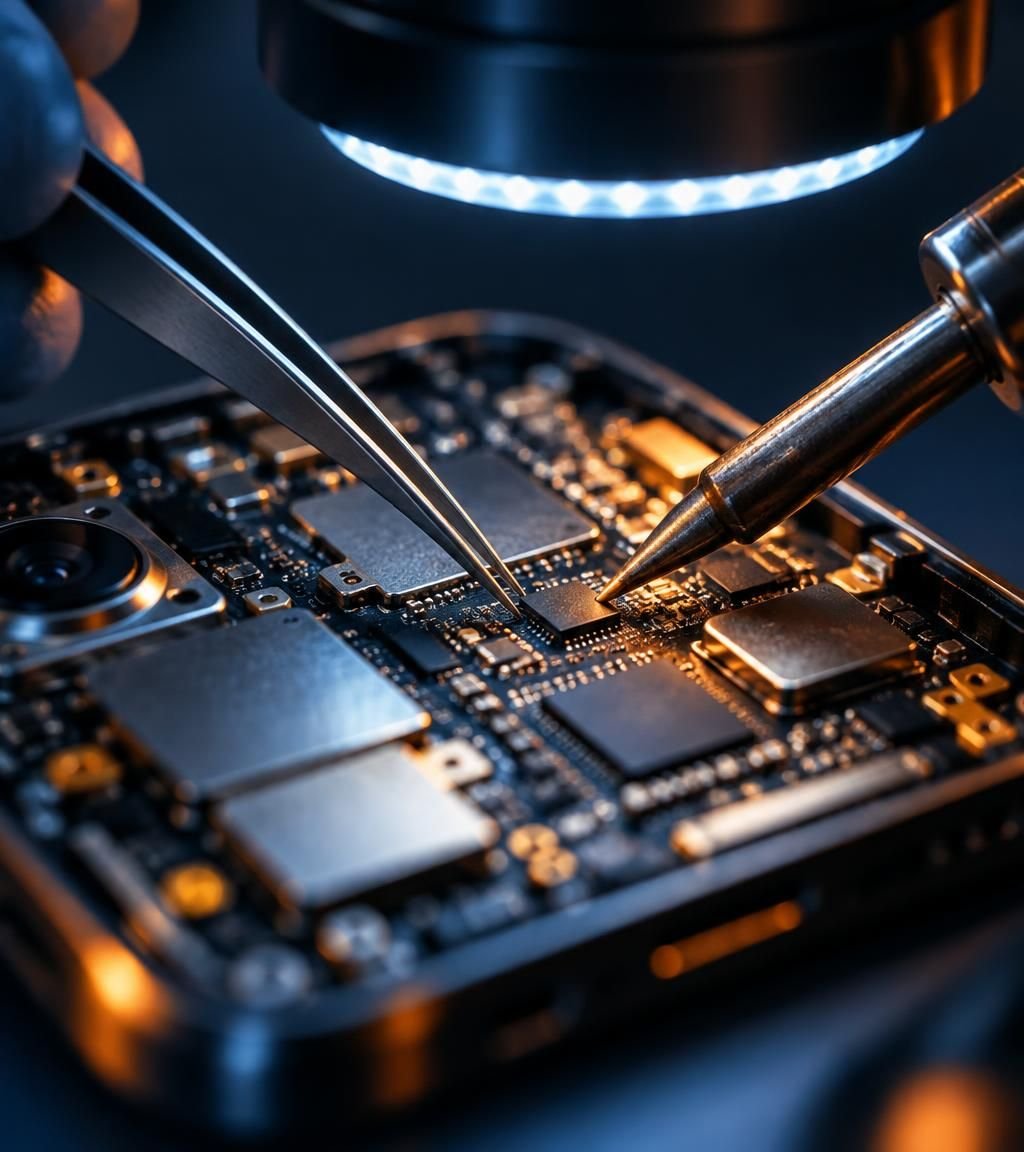
Chip-Level
Motherboard & IC repairing
Certified
ISO 9001:2015 Institute
COURSE OVERVIEW
Two Complete Tracks. One Professional Career.
The course is split into a Hardware track and a Software track, so you build skills step by step — from understanding a single component to repairing any brand on the market.
TRACK 01
Mobile Hardware Repairing
Electronics fundamentals, component testing, soldering, charging, display, network and chip-level fault repairing.
TRACK 02
Mobile Software Repairing
Computer basics, drivers, flashing, lock & FRP removal, Miracle Box, Z3X Box and IMEI repairing.
TRACK 01 · HARDWARE SYLLABUS
Mobile Hardware Repairing — 41 Modules
Structured in four progressive phases. Every module is taught with live practicals on real faulty devices.
PHASE 01 · MODULES 1–10
Electronics Foundations
- 01Introduction to Mobile Phone History
- 02Overview of Mobile Phones
- 03Introduction to GSM and CDMA Technology and Generations
- 04Introduction to Basic Electronics
- 05Introduction to AC and DC
- 06Understanding Voltage, Current, Watt and Ohm
- 07Introduction to Mobile Electronic Components
- 08Identification of All Mobile Electronic Components
- 09Types, Functions, Working, Symbols, Units, Denoting Letters and Testing of Electronic Components, Including Resistors, Capacitors, Transistors, MOSFETs, ICs/Chips, Crystals, Coils, Diodes, Fuses, Speakers, Ringers, Microphones, Vibrators and Switches
- 10How to Use a Digital Multimeter
PHASE 02 · MODULES 11–23
Assembly, Power & Charging
- 11Mobile Phone Assembling and Disassembling
- 12Soldering and Desoldering of Mobile Components
- 13Details of Different Types of Mobile ICs
- 14How to Remove and Replace Mobile Speakers and Ringers
- 15How to Repair and Trace Battery Connector Supply
- 16How to Check and Repair Mobile Batteries
- 17Mobile Charging and Discharging Problem Diagnosis and Repair
- 18How to Remove and Replace Mobile Charging Ports
- 19Mobile Charging Circuit Repairing
- 20How to Remove and Replace Headphone Jacks
- 21Headphone Jack and Circuit Repairing
- 22How to Remove and Replace Damaged On/Off Switches
- 23Mobile On/Off Switch Circuit Repairing
PHASE 03 · MODULES 24–35
Display, Sensors & Circuits
- 24Mobile Sound Circuit Repairing
- 25Mobile Network Circuit Repairing
- 26Mobile Touch Screen Repairing
- 27How to Remove and Replace Mobile Touch Screens
- 28How to Remove and Replace Mobile Screens (Display/Folders)
- 29Mobile Sensor Repairing
- 30Mobile Fingerprint-Related Problem Diagnosis and Repair
- 31Mobile Camera and Circuit Tracing and Repairing
- 32Mobile Microphone-Related Problem Repairing
- 33Mobile Vibration-Related Problem Repairing
- 34Mobile White Screen Problem Diagnosis and Repair
- 35All Types of Mobile Screen Repairing
PHASE 04 · MODULES 36–41
Advanced Fault Diagnosis
- 36Mobile Jumper Techniques and Repairing
- 37Mobile Short Circuit Problem Repairing
- 38Mobile Leakage Problem Diagnosis and Repairing
- 39Water-Damaged Mobile Phone Repairing
- 40Mobile Phone Overheating Problem Diagnosis and Repairing
- 41Hardware Repairing of Different Mobile Brands, Including Samsung, Xiaomi (MI), Nokia, OPPO, Vivo, OnePlus, Honor, Motorola and Lenovo
HANDS-ON TRAINING ON ALL MAJOR BRANDS
TRACK 02 · SOFTWARE SYLLABUS
Mobile Software Repairing — 17 Modules
Master the computer-side tools professionals use every day — flashing, unlocking and IMEI repair with industry-standard boxes.
PHASE 01 · MODULES 1–6
Computer & Internet Essentials
- 01Basic Computer Knowledge
- 02How to Use a Computer
- 03How to Use the Internet
- 04Basic Networking
- 05How to Install Windows Drivers and Mobile Application Software on a Computer
- 06How to Download Mobile Flashing Files, Drivers and Mobile Applications from the Internet
PHASE 02 · MODULES 7–11
Locks & Security Removal
- 07Introduction to Mobile Software Repairing
- 08How to Unlock Different Types of Mobile Locks
- 09How to Lock and Unlock Mobile Phones
- 10Pattern Lock Removal
- 11FRP Lock Removal
PHASE 03 · MODULES 12–17
Flashing, Boxes & IMEI
- 12How to Flash Mobile Phones Using Firmware/Flash Files
- 13All Types of Mobile Phone Flashing
- 14Mobile Software Repairing Using Code Numbers
- 15Mobile Software Repairing Using Miracle Box
- 16Mobile Software Repairing Using Z3X Box
- 17Mobile IMEI Number Repairing
LAB & TOOLS
Train on the Same Tools Service Centers Use
Digital Multimeter
Measure voltage, current & continuity
Soldering & Hot Air
Precise IC rework and desoldering
Microscope Work
Fine-pitch chip-level repairs
DC Power Supply
Diagnose short & leakage faults
Miracle Box
Flashing & unlocking tool
Z3X Box
Samsung flashing & IMEI repair
CAREER OPPORTUNITIES
What You Can Become After This Course
Open Your Own Shop
Start a mobile repair business with full hardware & software skills.
Service-Center Technician
Work with brand-authorised service centers and repair labs.
Freelance & Doorstep
Earn by offering on-call repairs, flashing and unlocking.
Trainer / Lab Expert
Grow into chip-level specialist or teach the next batch.
FAQ
Frequently Asked Questions
Anyone — students, job seekers or shop owners. No prior technical background is required; we start from basic electronics.
Yes. 100% practical training on live faulty smartphones inside our own service center, guided by experienced faculty.
Yes. On completion you receive a verifiable certificate from our ISO 9001:2015 certified institute.
Yes. The course includes 41 hardware modules and 17 software modules, including flashing, FRP and IMEI repairing.
Absolutely. The syllabus is designed so you can confidently repair all major brands and run your own business.
Start Your Mobile Repairing Career Today
Admissions open — limited seats per batch. Book a free demo class and see our live training.