
● CHIP-LEVEL · LAPTOP & DESKTOP · 104 MODULES
Become a Certified Laptop Repairing Expert
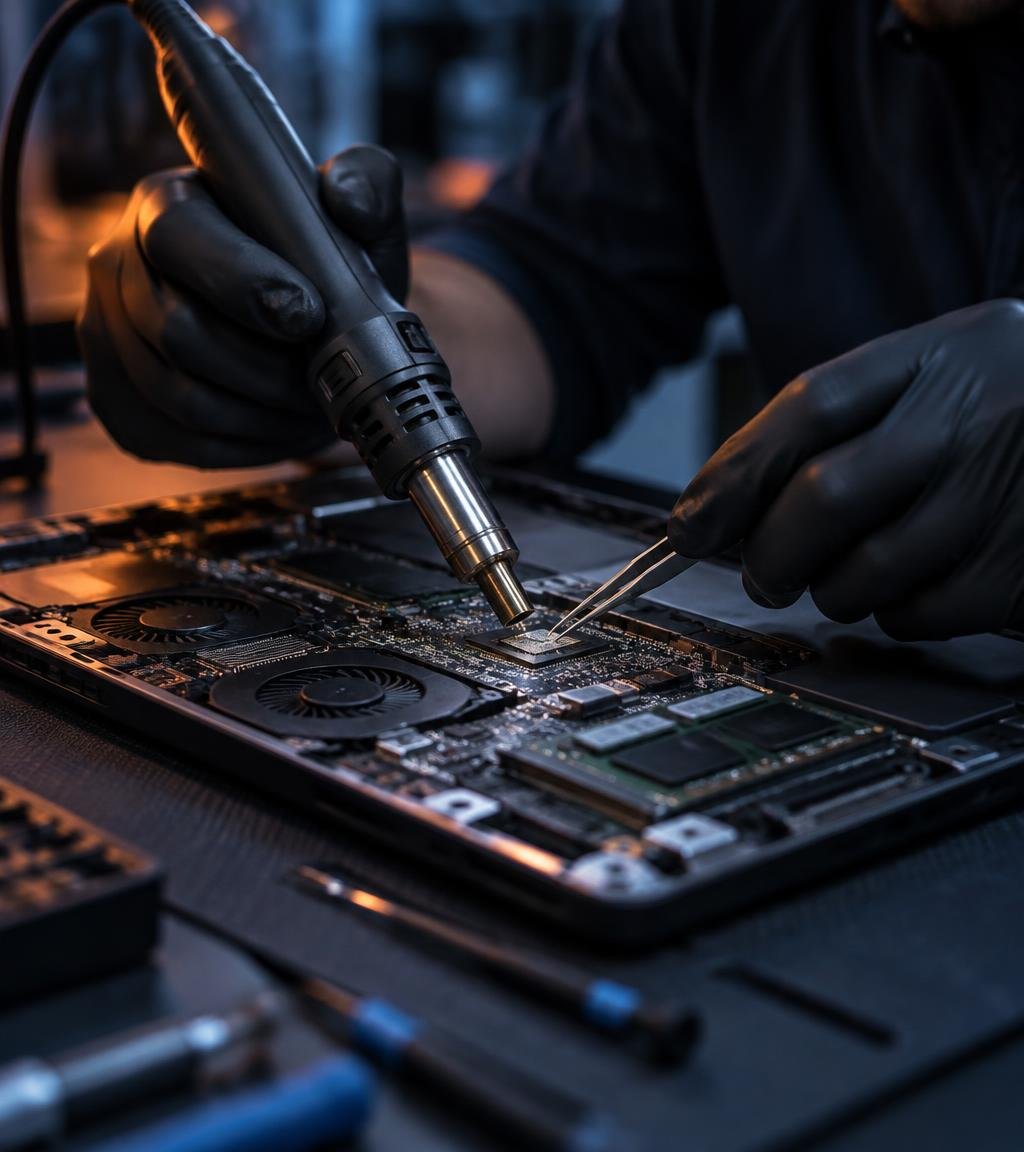
From basic electronics and component testing to motherboard section tracing and chip-level fault repair. Learn to fix any laptop or desktop on real faulty machines inside our live service center.
- Chip-Level Training
- Live Faulty Laptops
- Certificate + Placement
Chip-Level
Motherboard, BIOS & IC repair
Certified
ISO 9001:2015 Institute
COURSE OVERVIEW
Three Phases. One Complete Hardware Career.
104 modules arranged in three progressive phases, so you move from understanding a single component to diagnosing and repairing any laptop or desktop motherboard.
PHASE 01
Electronics & Components
Fundamentals, multimeter use and testing of resistors, capacitors, diodes, transistors, MOSFETs, ICs and more.
PHASE 02
Soldering & Board Tracing
Practical soldering and rework, then tracing every laptop and desktop motherboard section from Volt-In to Wi-Fi.
PHASE 03
Assembly & Fault Repairing
Assembling, disassembling and real fault-finding solutions for 24 of the most common laptop and desktop problems.
PHASE 01 · ELECTRONICS & COMPONENTS
Electronics & Components — 54 Modules
Build a rock-solid foundation. Every component is identified, explained and tested directly on laptop and desktop motherboards.
UNIT 01 · MODULES 1–10
Fundamentals & Resistors
- 01Introduction to Voltage, Current, Watt and Ohm
- 02Introduction to AC and DC
- 03How to Use a Digital Multimeter
- 04Identification of Electronic Components on Laptop and Desktop Motherboards
- 05Working Concept of Resistors
- 06Types of Resistors
- 07Resistor Symbols, Units and Denoting Letters
- 08Resistor Color Coding Concept
- 09SMD Resistor Value Identification
- 10How to Test Resistors on Motherboards
UNIT 02 · MODULES 11–25
Capacitors, Diodes & Transistors
- 11What Is a Capacitor?
- 12Types of Capacitors
- 13Capacitor Symbols, Units and Denoting Letters
- 14Series and Parallel Concepts of Capacitors
- 15Onboard and Offboard Capacitor Testing
- 16Working Concept of Diodes
- 17Different Types of Diodes
- 18Diode Symbols and Denoting Letters
- 19Bridge Rectifier Diode Concept
- 20Testing of Different Types of Diodes on Motherboards
- 21Concept of Transistors on Motherboards
- 22Types of Transistors
- 23Transistor Symbols and Denoting Letters
- 24SMD and Normal Transistor Identification
- 25Onboard Testing of SMD and Normal Transistors
UNIT 03 · MODULES 26–39
Coils, MOSFETs & ICs
- 26Identification of Different Types of Coils
- 27Working Principle of Coils (Inductors)
- 28Types of Coils
- 29Coil Symbols, Units and Denoting Letters
- 30Testing of Different Types of Coils
- 31Introduction to SMD MOSFETs
- 32Working Concepts of 3-Pin, 6-Pin and 8-Pin MOSFETs
- 33Types of MOSFETs
- 34MOSFET Symbols and Denoting Letters
- 35Identification and Functions of Gate, Drain and Source Pins
- 36Working Concept of ICs/Chips
- 37Identification of Different Types of ICs
- 38Onboard IC Testing
- 39Understanding Different IC Values on Motherboards
UNIT 04 · MODULES 40–54
Transformers, Crystals, Fuses & Thermistors
- 40Identification of Different Types of Transformers
- 41Working Principle of Transformers
- 42Transformer Symbols and Denoting Letters
- 43Transformer Testing Concepts
- 44Working Principle of Crystals
- 45Introduction to RTC Crystals
- 46Crystal Symbols, Units and Denoting Letters
- 47Testing of Crystals Using a Multimeter and CRO Machine
- 48What Is a Fuse and How Does It Work?
- 49Fuse Symbols and Denoting Letters
- 50Fuse Testing and Repairing Concepts
- 51Different Types of Thermistors
- 52Working of Thermistors on Motherboards
- 53Thermistor Testing Concepts
- 54NTC and PTC Thermistors
HANDS-ON TRAINING ON ALL MAJOR LAPTOP BRANDS
PHASE 02 · SOLDERING & BOARD TRACING
Soldering & Motherboard Tracing — 24 Modules
Hands-on rework of components, chips and ports, then section-by-section tracing of complete laptop and desktop motherboards.
UNIT 01 · MODULES 55–58
Soldering & Desoldering Practical
- 55How to Remove Motherboard Components Such as Capacitors, Transistors, MOSFETs, Crystals, Coils, Diodes and Fuses
- 56How to Install and Fix Electronic Components on Motherboards
- 57How to Remove and Replace Different Types of ICs/Chips from Motherboards
- 58How to Remove and Replace Different Types of Ports, Connectors, Slots and Sockets, Such as VGA Ports, USB Ports, PS/2 Ports, SATA Connectors and CMOS Battery Connectors
UNIT 02 · MODULES 59–68
Power, Chip & Core Sections
- 59Volt-In Section
- 60Step-Down Section
- 61VRM (Voltage Regulator Module) Section
- 62RAM Section
- 63Chip Section (Graphics, Northbridge and Southbridge Sections)
- 64Battery Section (Charging and Discharging Section)
- 65I/O (Input/Output) Section
- 66BIOS Section
- 67LAN Section
- 68Sound Section
UNIT 03 · MODULES 69–78
Ports, Display & Peripheral Sections
- 69USB Section
- 70VGA Section
- 71SATA Section
- 723.3V and 5V Sections
- 731.2V, 1.8V, 1.5V and 2.5V Sections
- 74ODD (Optical Disc Drive) and Fan Sections
- 75LVDS Section (LCD/LED Panel and Screen Section)
- 76Keyboard and Touchpad Sections
- 77Clock Generator Section
- 78Wi-Fi and Adapter Sections
PHASE 03 · ASSEMBLY & FAULT FINDING
Fault Finding & Repairing — 26 Modules
Put it all together. Diagnose and repair the real problems customers bring to every laptop service center.
UNIT 01 · MODULES 79–85
Assembly, Boot & Power Faults
- 79Desktop Assembling and Disassembling
- 80Laptop Assembling and Disassembling Process
- 81No Display Problem Diagnosis and Repair
- 82Dead Motherboard Problem Diagnosis and Repair
- 83Automatic Restarting Problem Repair
- 84Laptop and Desktop Hanging Problems
- 85Laptop Charging and Discharging Faults
UNIT 02 · MODULES 86–92
Display, System & Thermal Faults
- 86Dim Screen Problem Diagnosis and Repair
- 87Automatic Shutdown Problems
- 88Date and Time Error Problems
- 89Blue Screen Error Diagnosis and Repair
- 90Laptop and Desktop Overheating Problems
- 91Laptop and Desktop Fan Not Working Problems
- 92Motherboard Short Circuit Problems
UNIT 03 · MODULES 93–98
Board, Storage & Connectivity
- 93Motherboard Leakage Problems
- 94USB Not Working Problems
- 95Hard Disk Not Working Problems
- 96Webcam (Camera) Errors and Problems
- 97Wi-Fi Not Working Problems
- 98Sound-Related Faults and Solutions
UNIT 04 · MODULES 99–104
Peripherals, Screen & Body
- 99Network-Related Problems
- 100Laptop Touchpad Not Working Problems
- 101Laptop and Desktop Keyboard Not Working Problems
- 102Bluetooth and Card Reader Problems
- 103Laptop White Screen Problems
- 104Laptop Hinge Repairing
LAB & TOOLS
Train on the Same Tools Laptop Service Centers Use
Digital Multimeter
Voltage, resistance & continuity tests
Hot Air & BGA Rework
Chip, port and IC replacement
Microscope Work
Fine-pitch SMD repairs
DC Power Supply
Find short and leakage faults
BIOS Programmer
Read, write & repair BIOS chips
CRO & Debug Card
Crystal, clock and POST diagnosis
CAREER OPPORTUNITIES
What You Can Become After This Course
Open Your Own Shop
Run a laptop and desktop repair business with chip-level skills customers trust.
Service-Center Technician
Work with brand-authorised laptop service centers and repair labs.
Corporate IT Support
Maintain and repair systems for offices, schools and companies.
Chip-Level Specialist
Grow into motherboard expert or train the next batch.
FAQ
Frequently Asked Questions
Anyone: students, job seekers, computer shop owners or IT staff. No prior technical background is needed; we start from basic electronics.
Yes. 100% practical training on live faulty laptops and desktop motherboards inside our own service center.
Yes. Every section covers both laptop and desktop motherboards, including assembling, tracing and fault repair.
Yes. On completion you receive a verifiable certificate from our ISO 9001:2015 certified institute.
Absolutely. You will trace 20 motherboard sections and repair 24 common faults like dead board, no display, charging and short circuit.
Start Your Laptop Repairing Career Today
Admissions open — limited seats per batch. Book a free demo class and see our live training.